
Star A Repository on GitHub
In this example, we will use LangFlow to star a repository on GitHub using Composio Tools1
Add Composio Component
Head over to the LangFlow website, create a new project, look for Composio component in the component list and add it to your project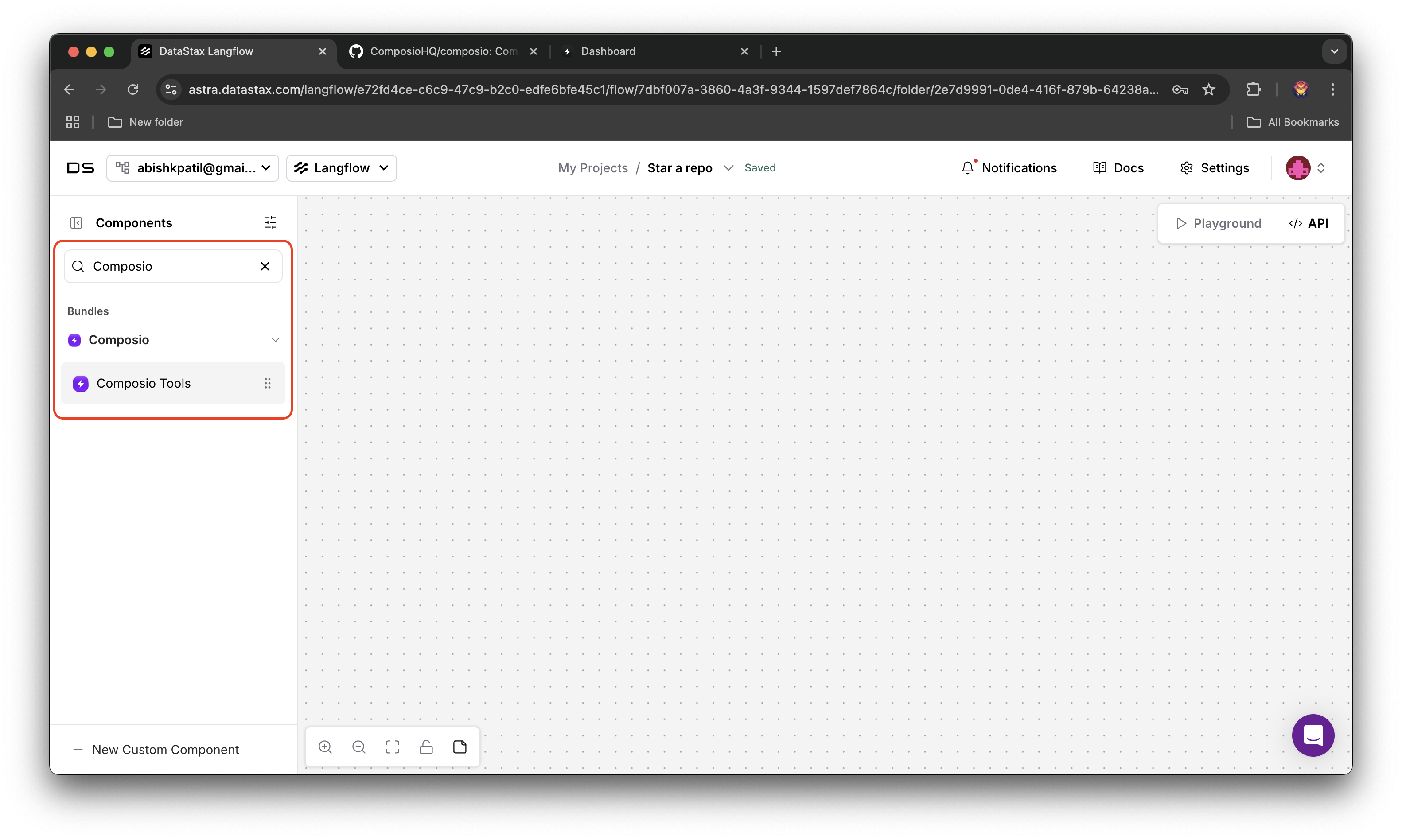
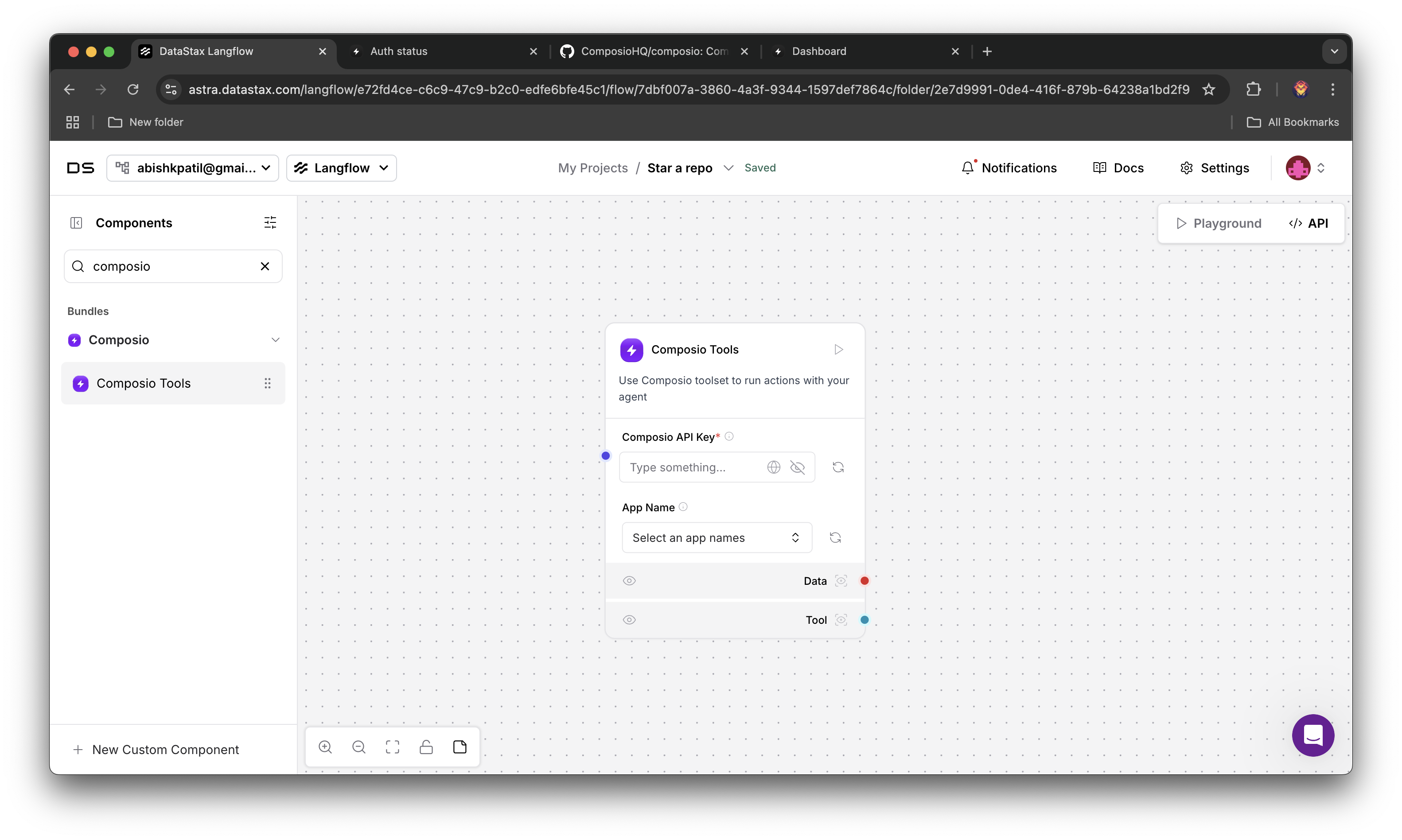
2
Configure Composio Component
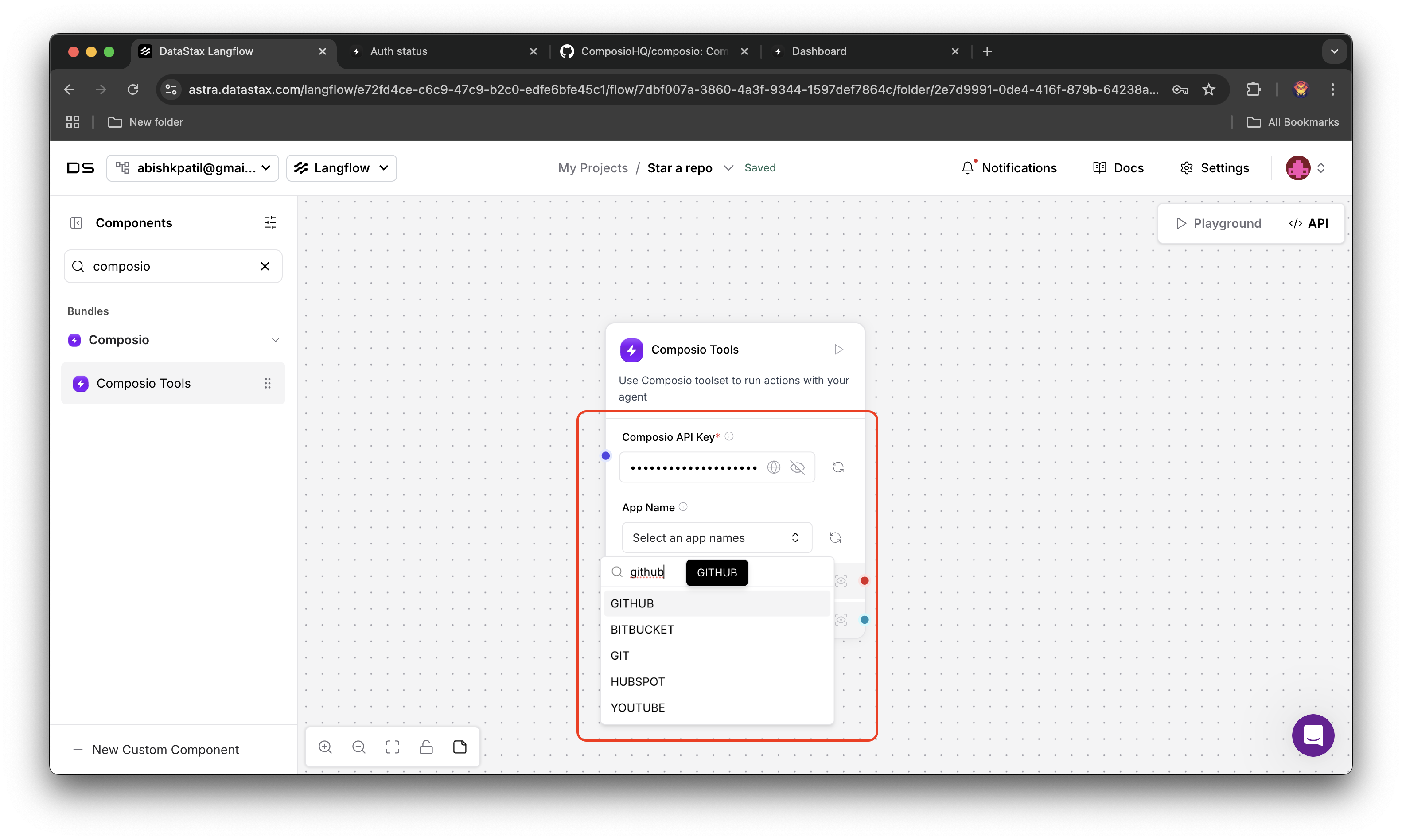
Go to your Composio Dashboard and copy your API key, paste it in the API Key field in the Composio component and then search for GitHub in apps list and select it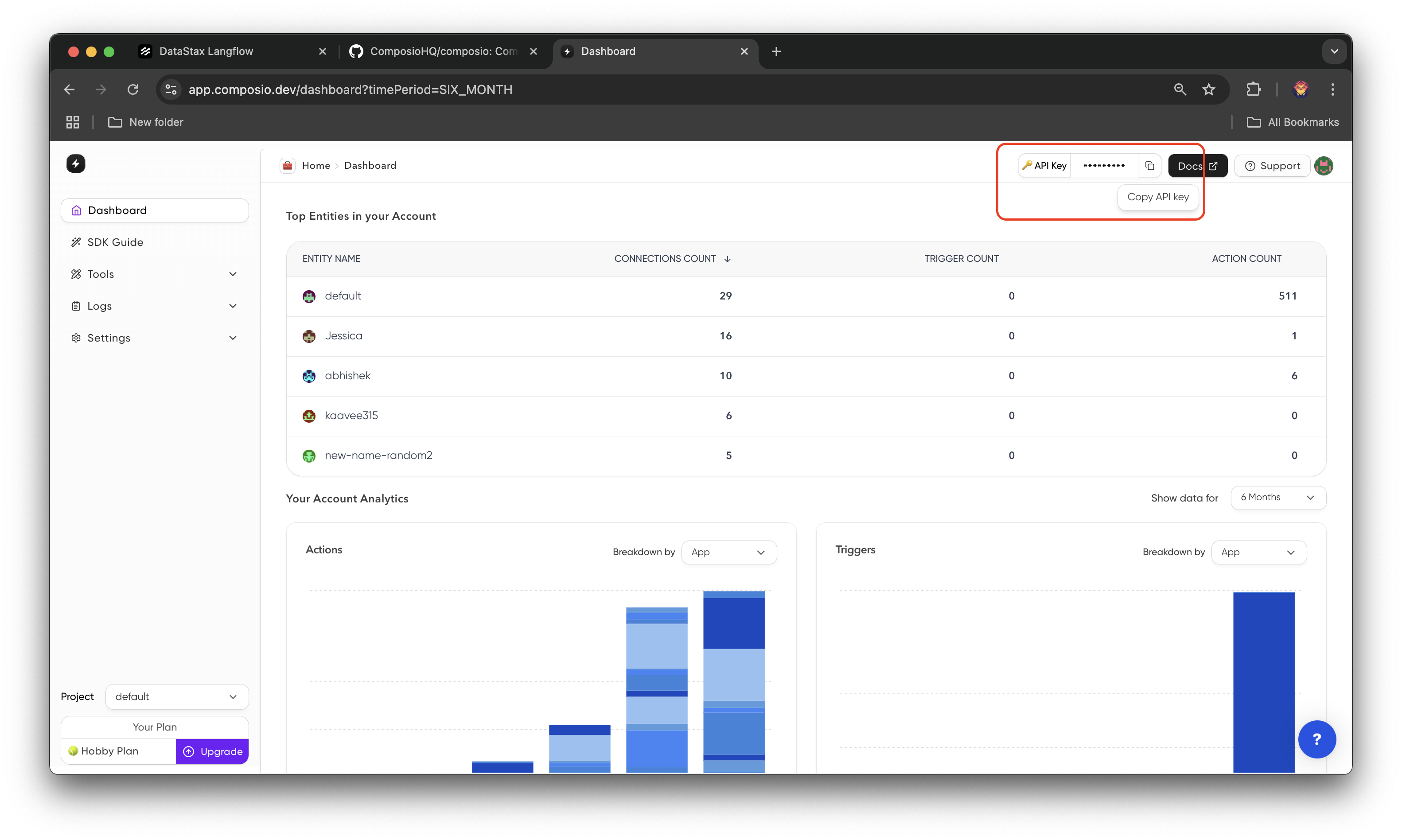
3
Authenticate with GitHub
Click on refresh button, a link to authenticate with GitHub will be generated (if you don’t have connected GitHub account), click on it and authenticate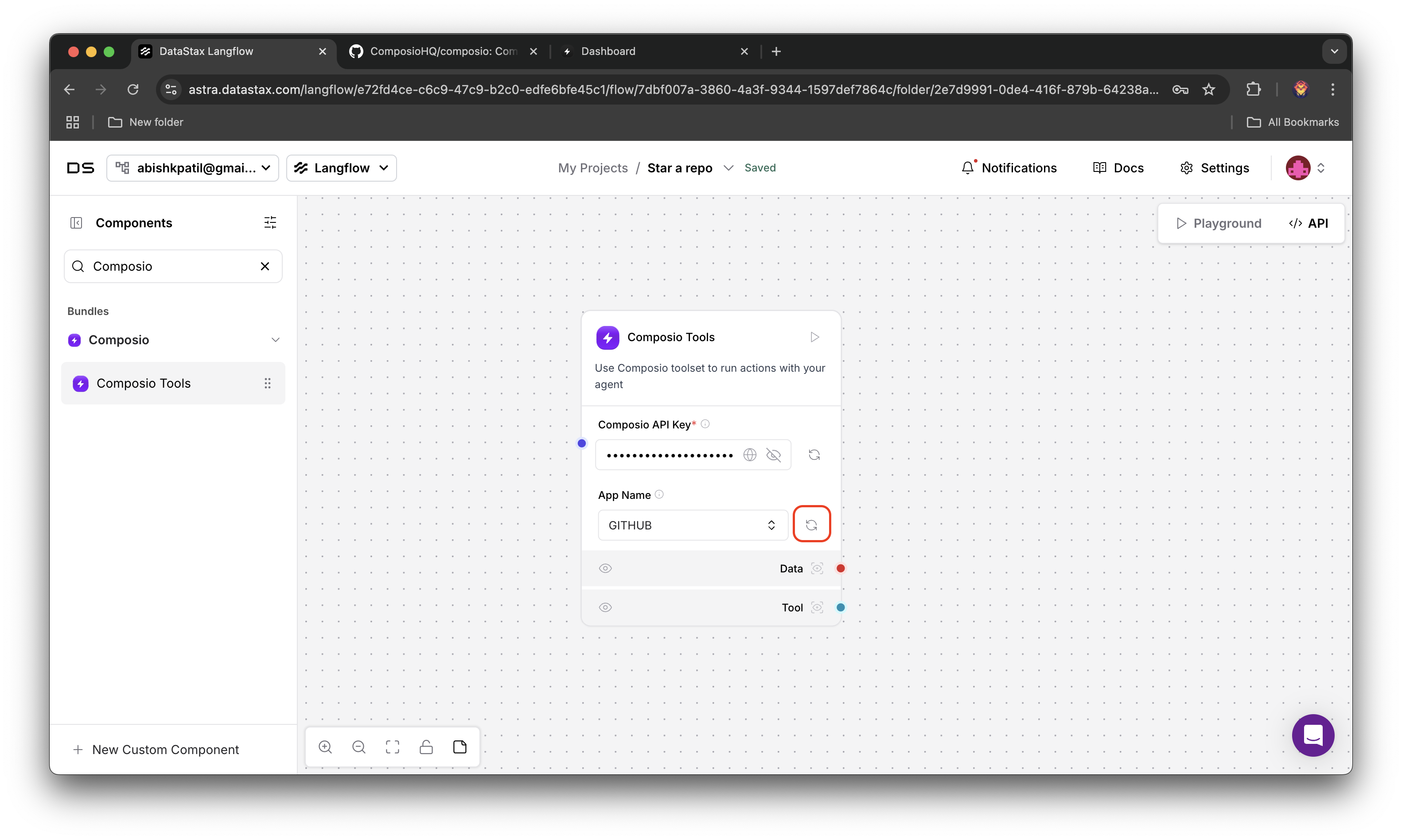
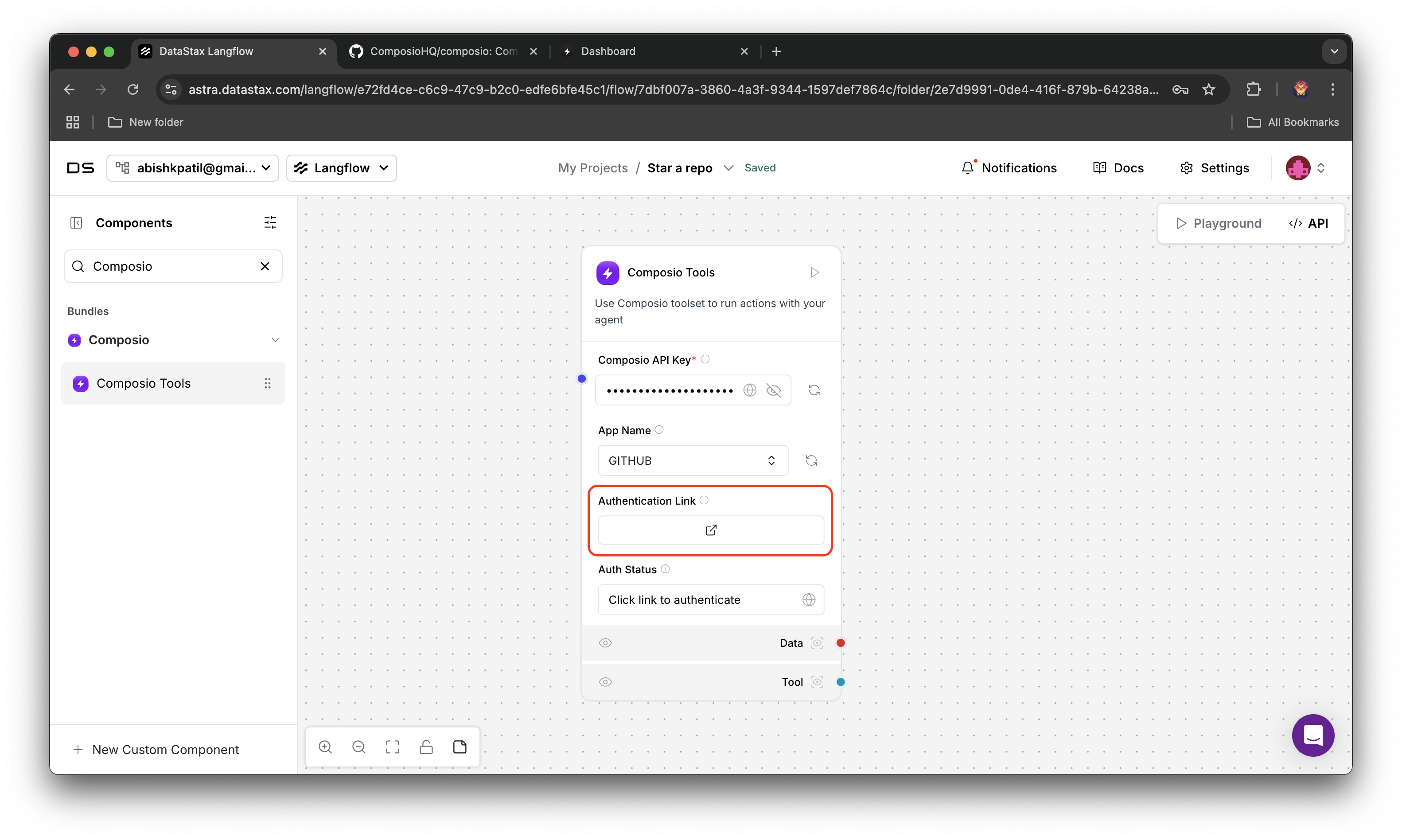
Most recent connected GitHub account with entity Id
default will be considered for executing the action4
Verify Connection Status
After authenticating, click on the refresh button to verify connection status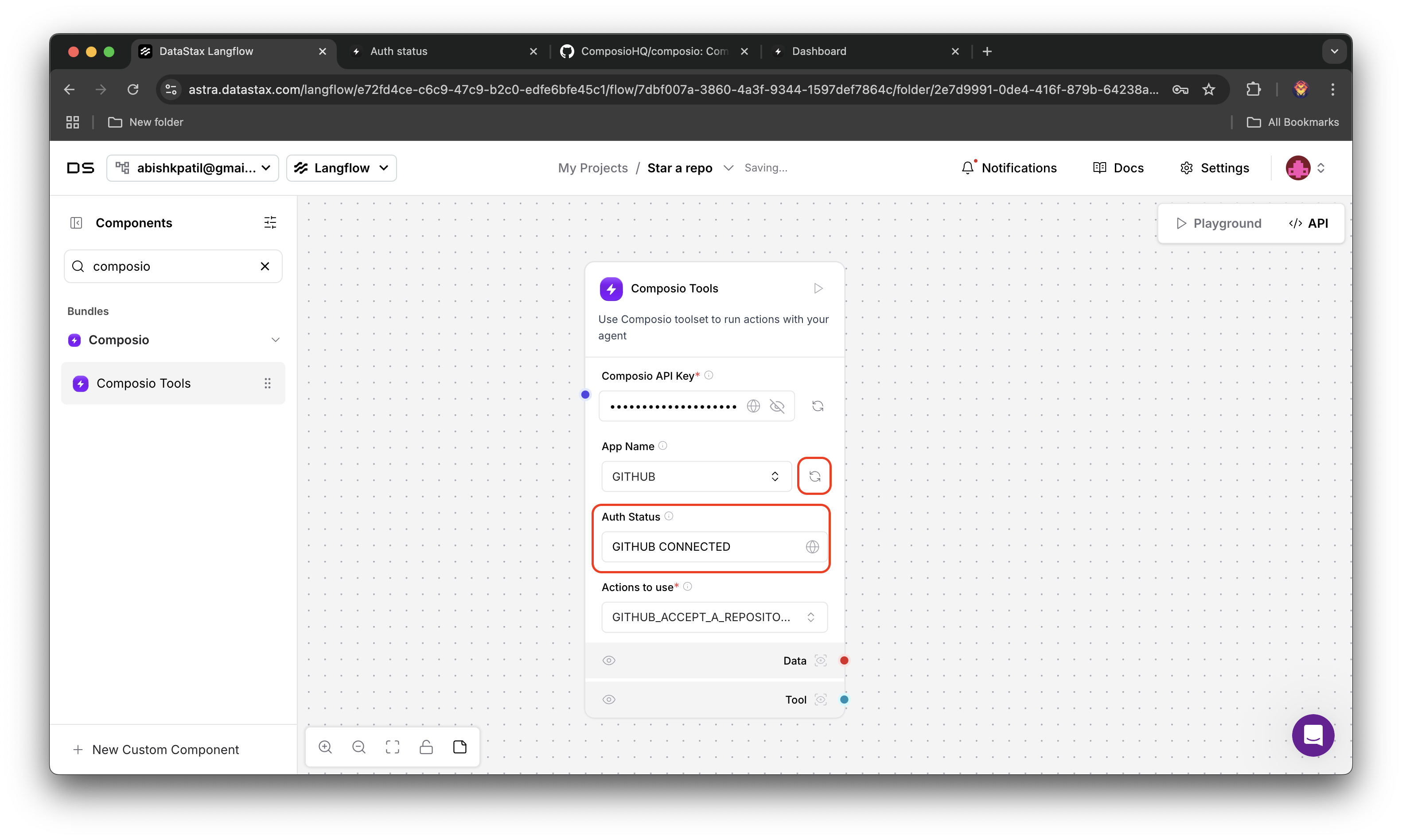
5
Select the Action
Select the action 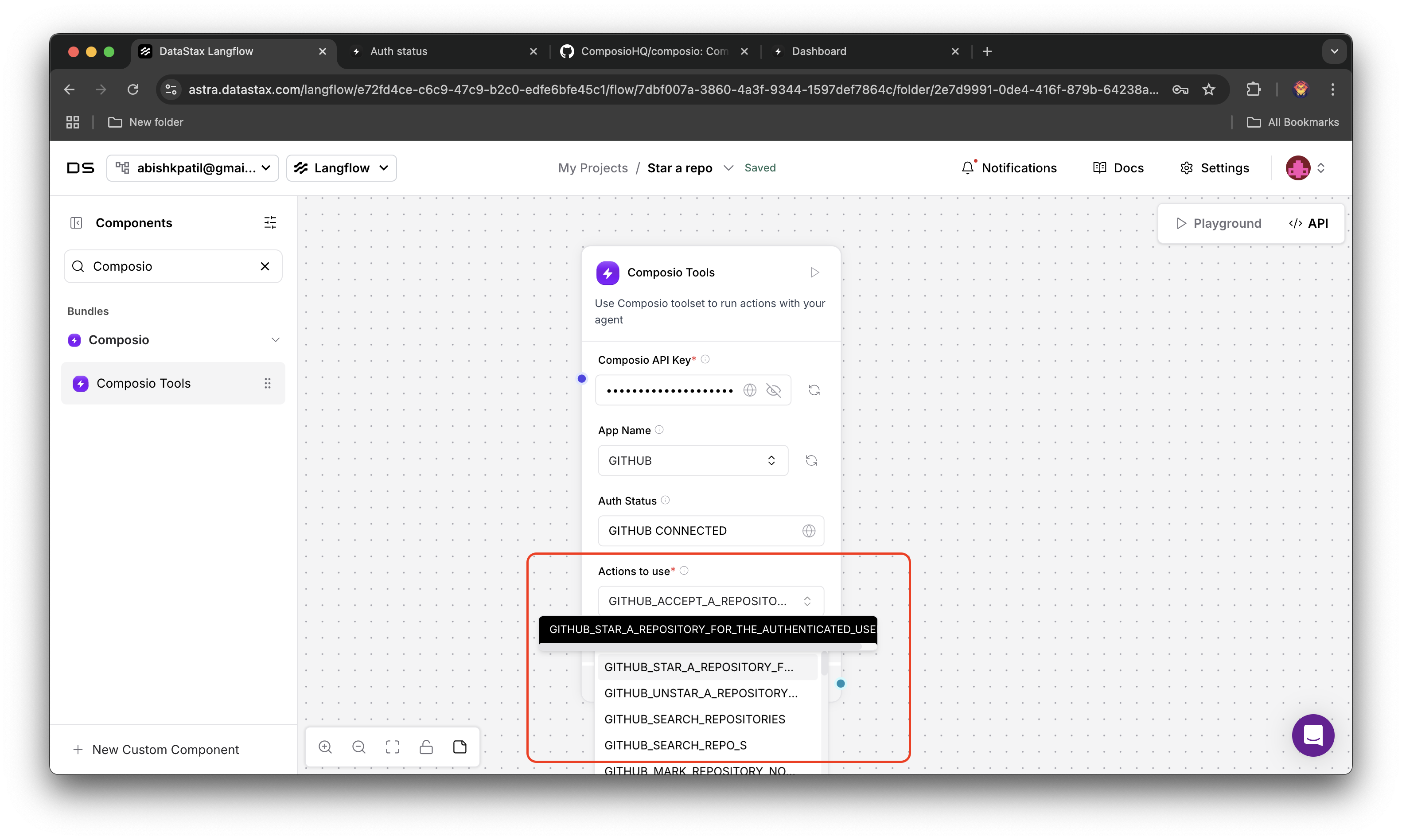
GITHUB_STAR_A_REPOSITORY_FOR_THE_AUTHENTICATED_USER and you’re done configuring the Composio component6
Add Agent
Look for agent in Components list, add it to your project, connect Composio component as tools to the agent then configure the agent (model provider, model name, api key, etc.).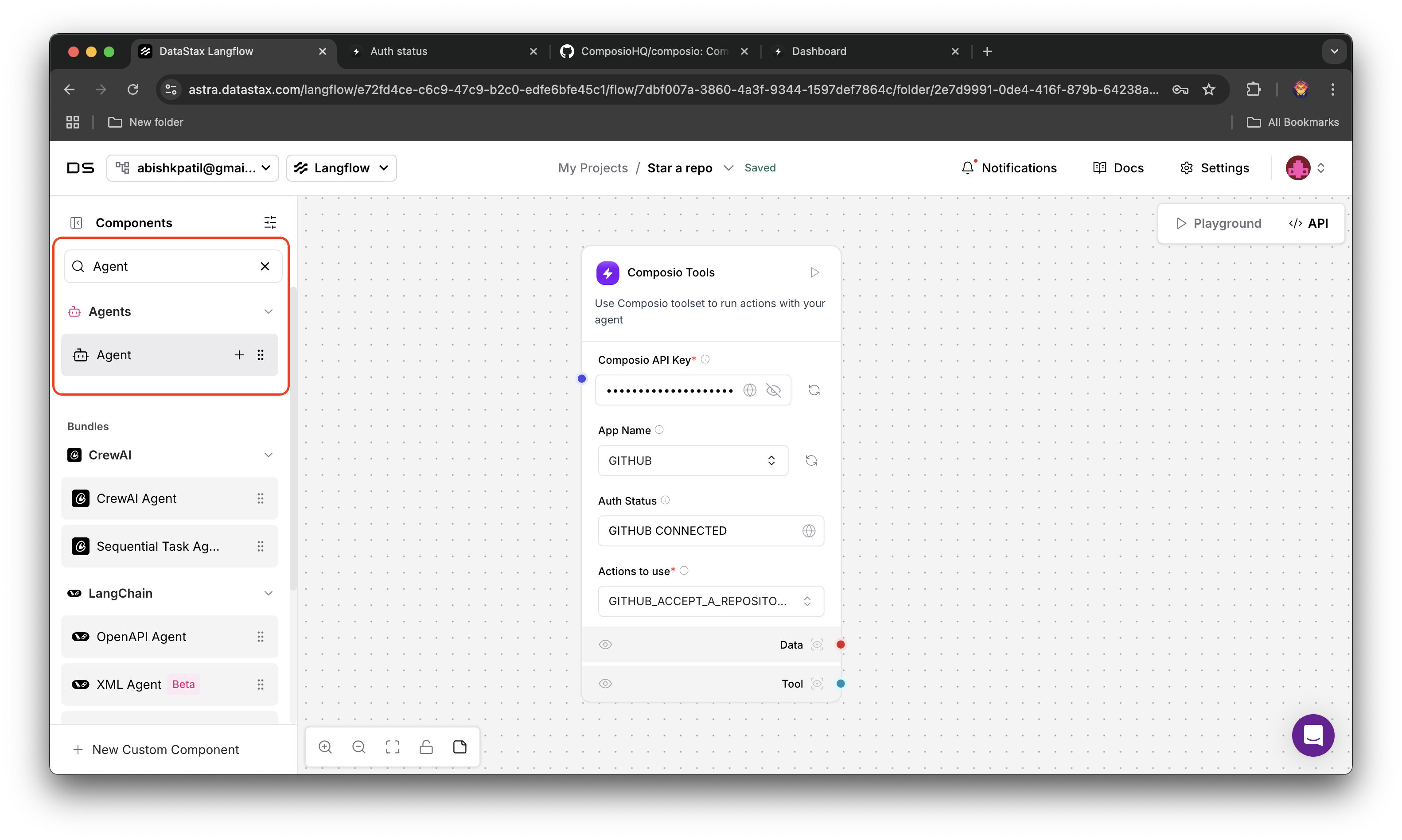
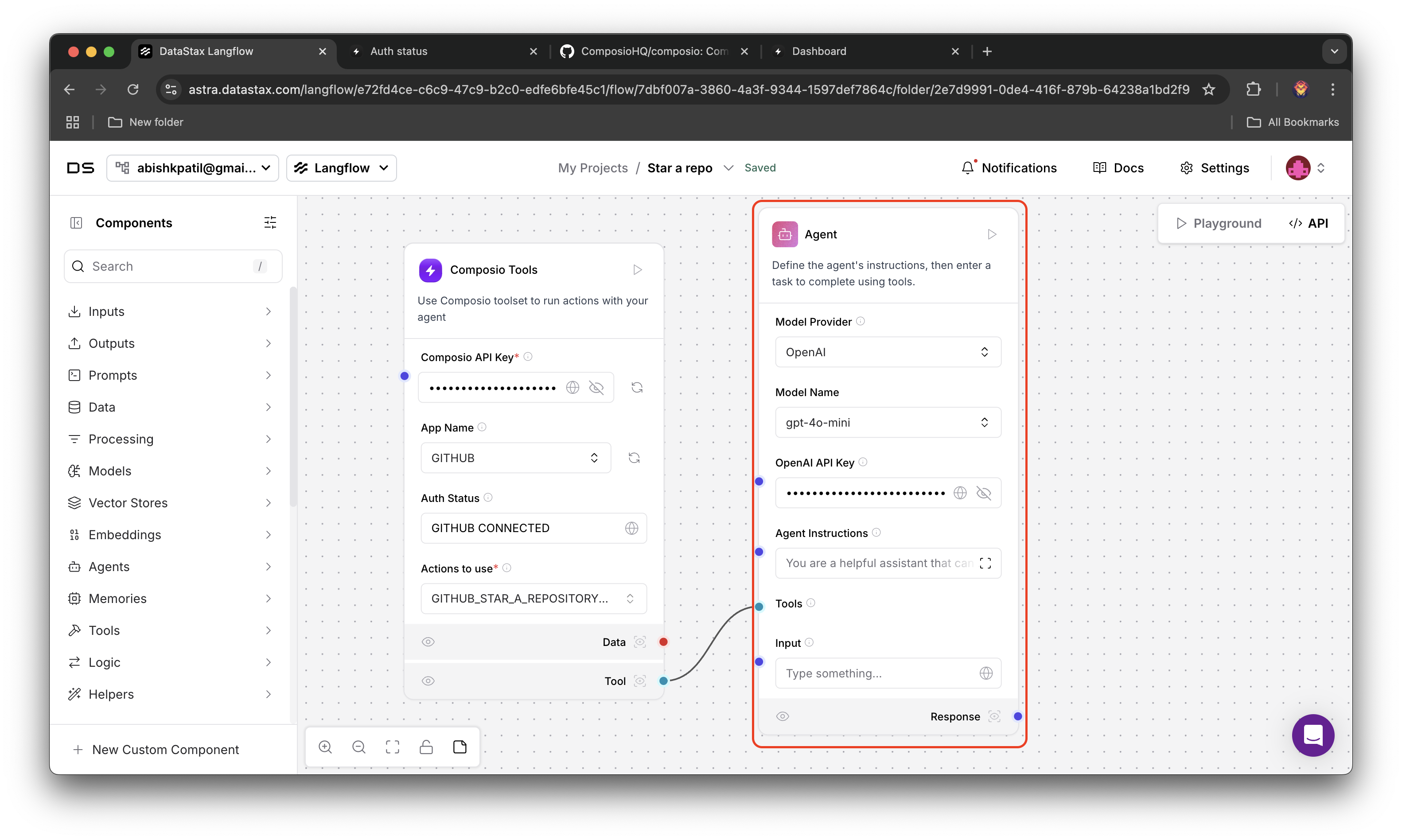 Lastly modify the agent input to Star the repo composiohq/composio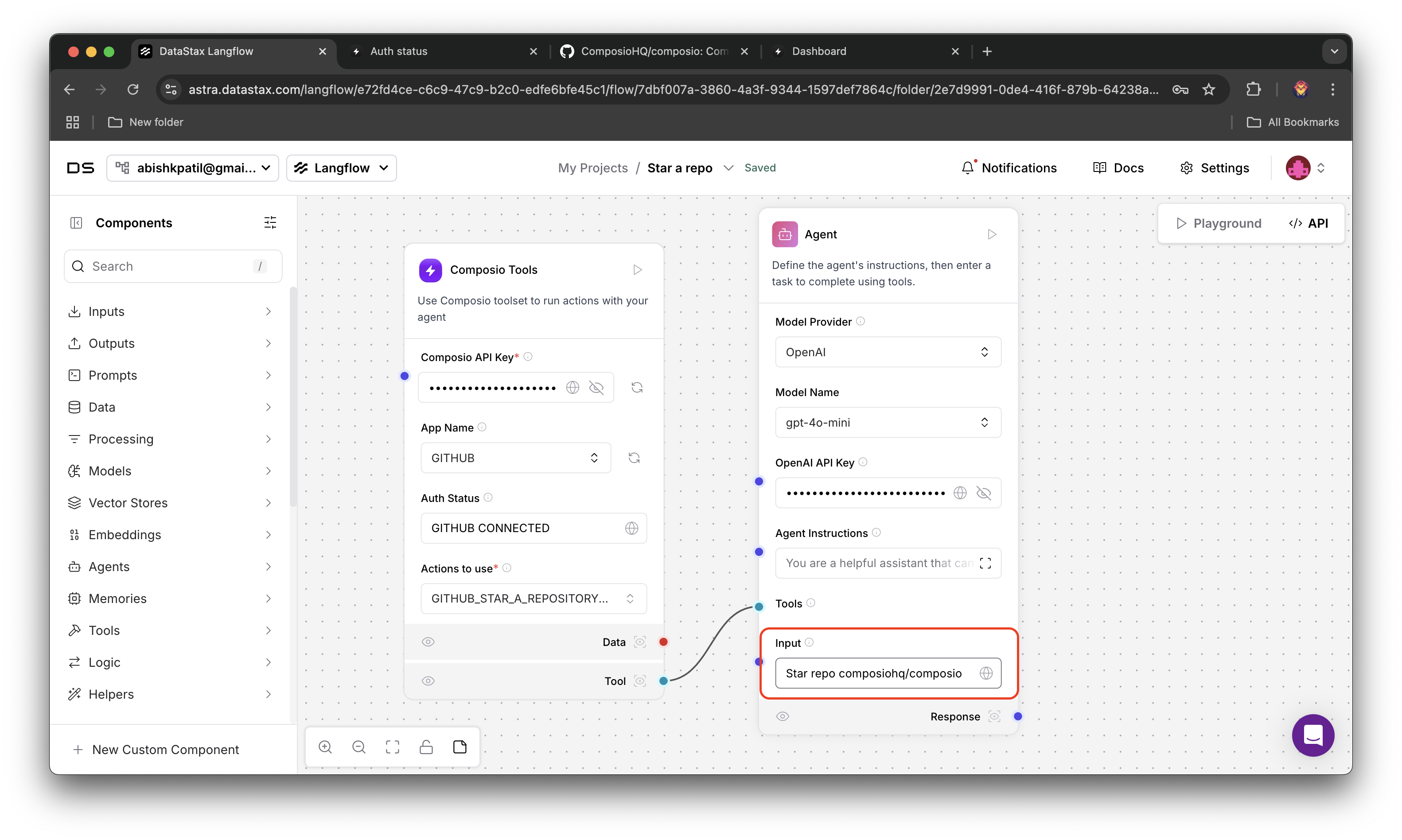
Lastly modify the agent input to Star the repo composiohq/composio7
Add Chat Output
Look for chat output in Components list, add it to your project, connect agent’s response to the chat output component. We will use this component to monitor the agent’s response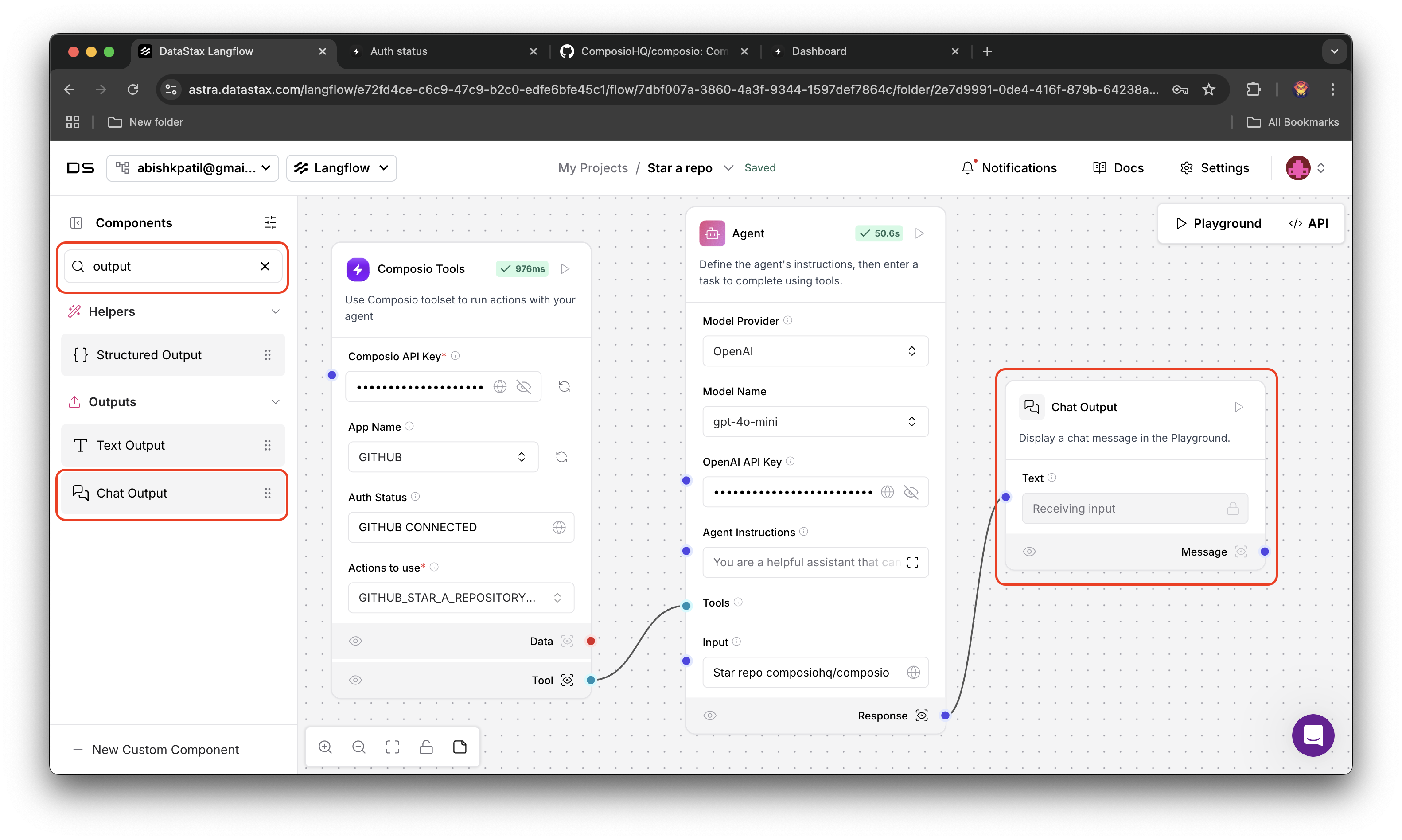
8
Run the Agent
Click on the run button on chat output to run the agent, and open playground to monitor the agent’s response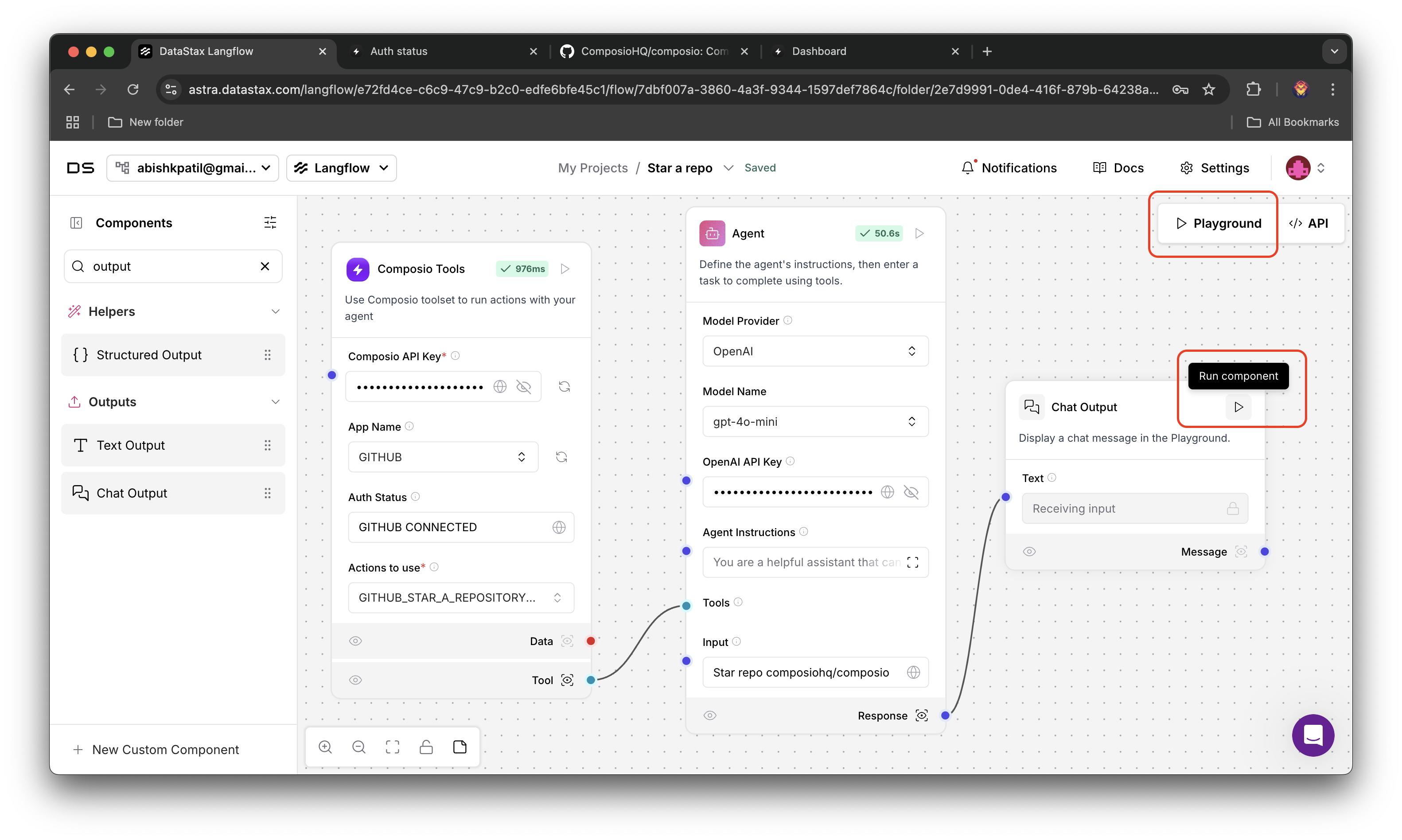
9
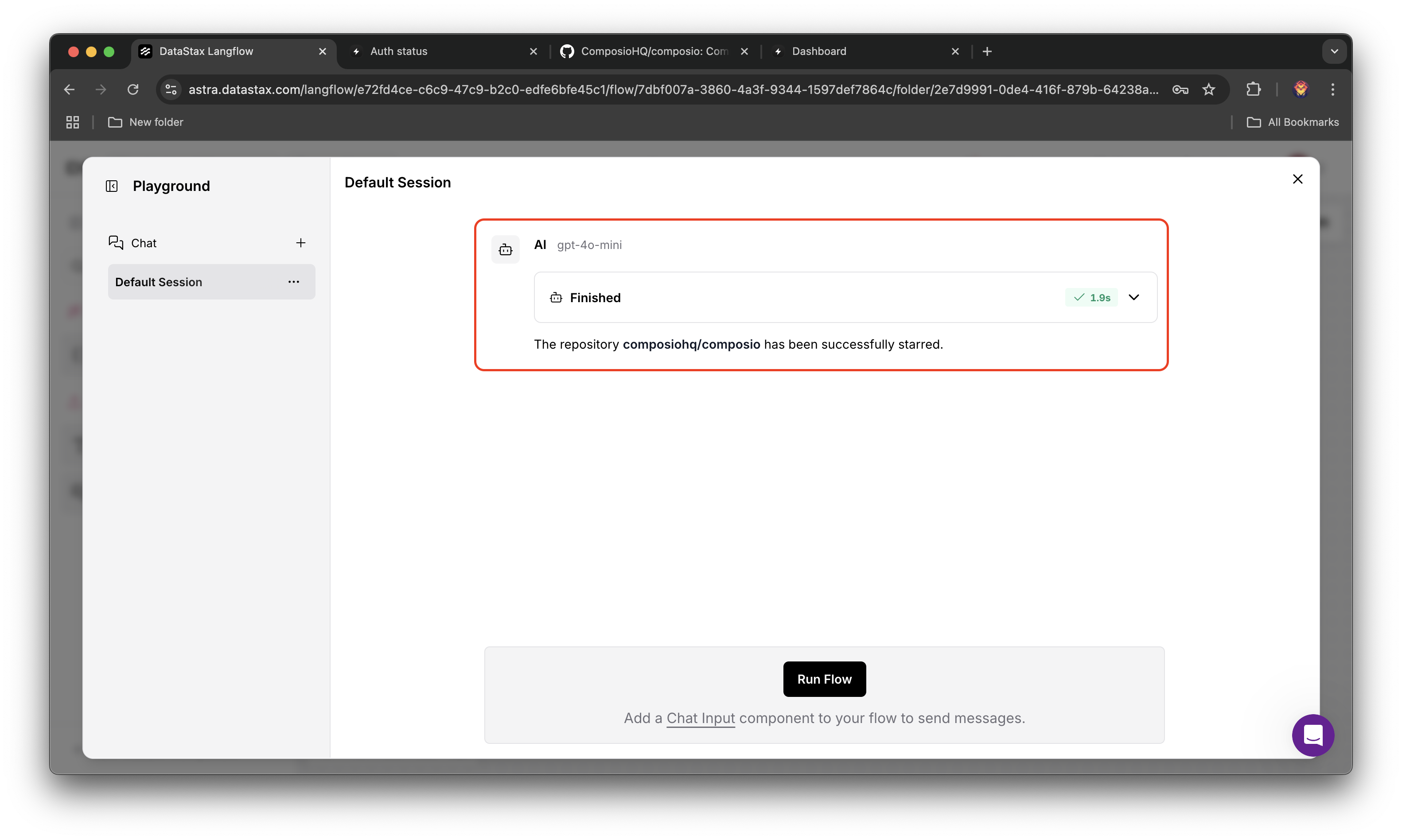
Agent's Response
Hurray! You have successfully starred the repository composiohq/composio