

Set up OAuth
There are four steps to connecting your n8n credential to Google services:- Create a Google Cloud Project
- Configure Project
- Configure your OAuth consent screen APIs
- Create your Google OAuth Client credentials
Video Guide
Steps
1
Create a Google Cloud Project
First, create a Google Cloud Console project:
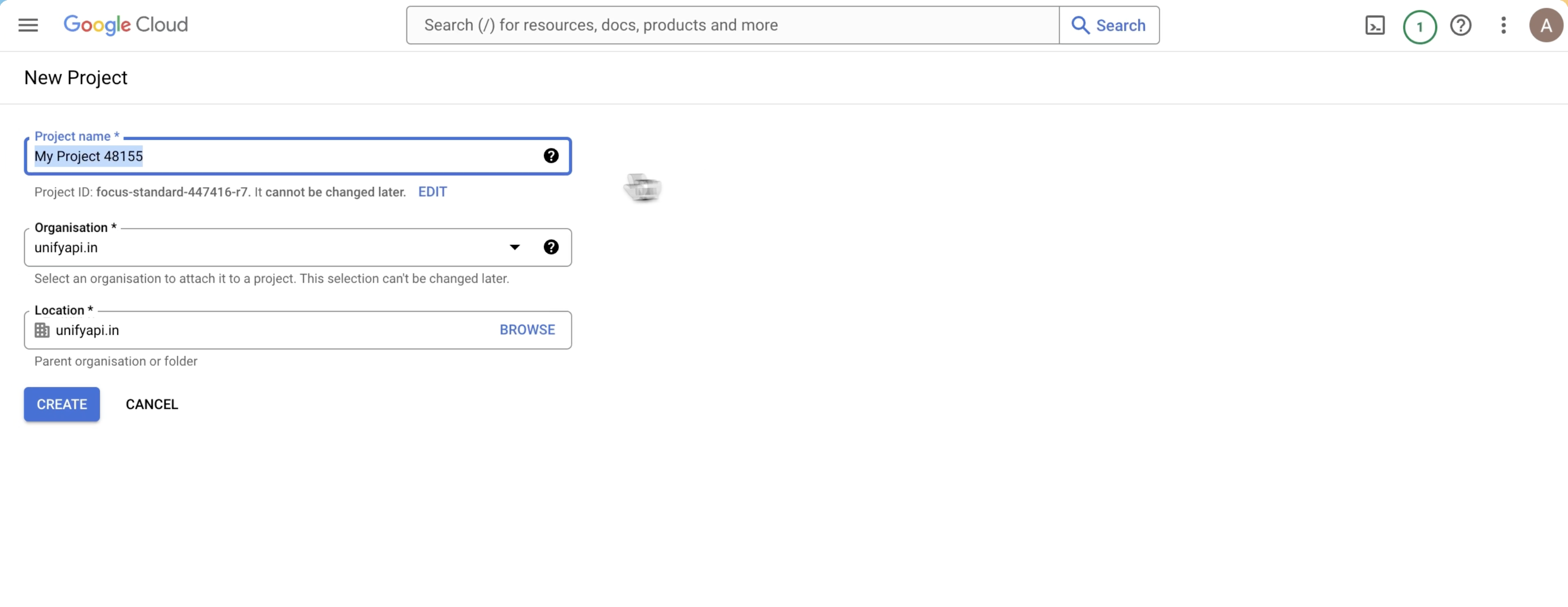
- Log in to your Google Cloud Console using your Google credentials
- In the top menu, select the project dropdown in the top navigation and select New project or go directly to the New Project page
- Enter a Project name and select the Location for your project
2
Configure Project
Head over to APIs and services section of the project: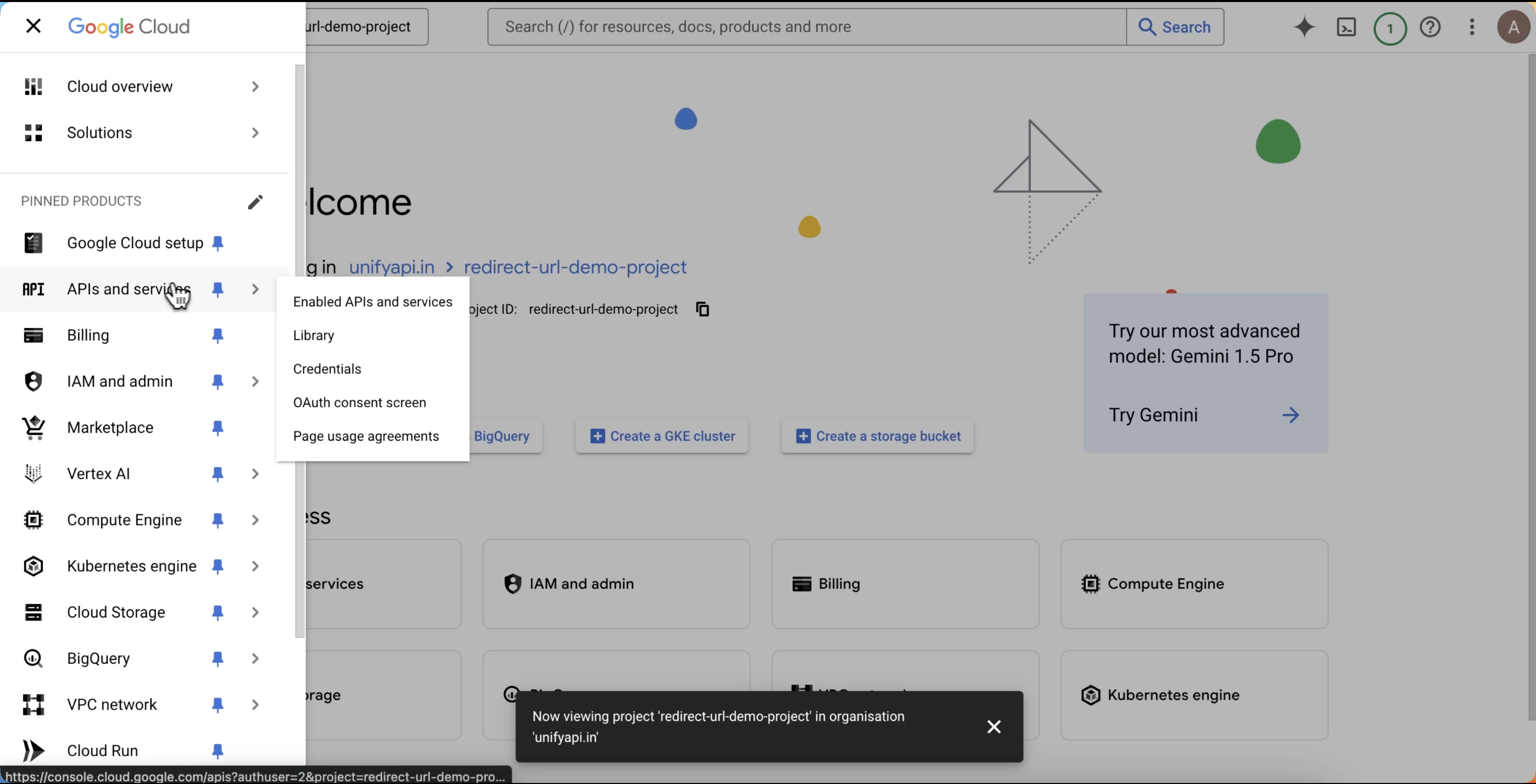
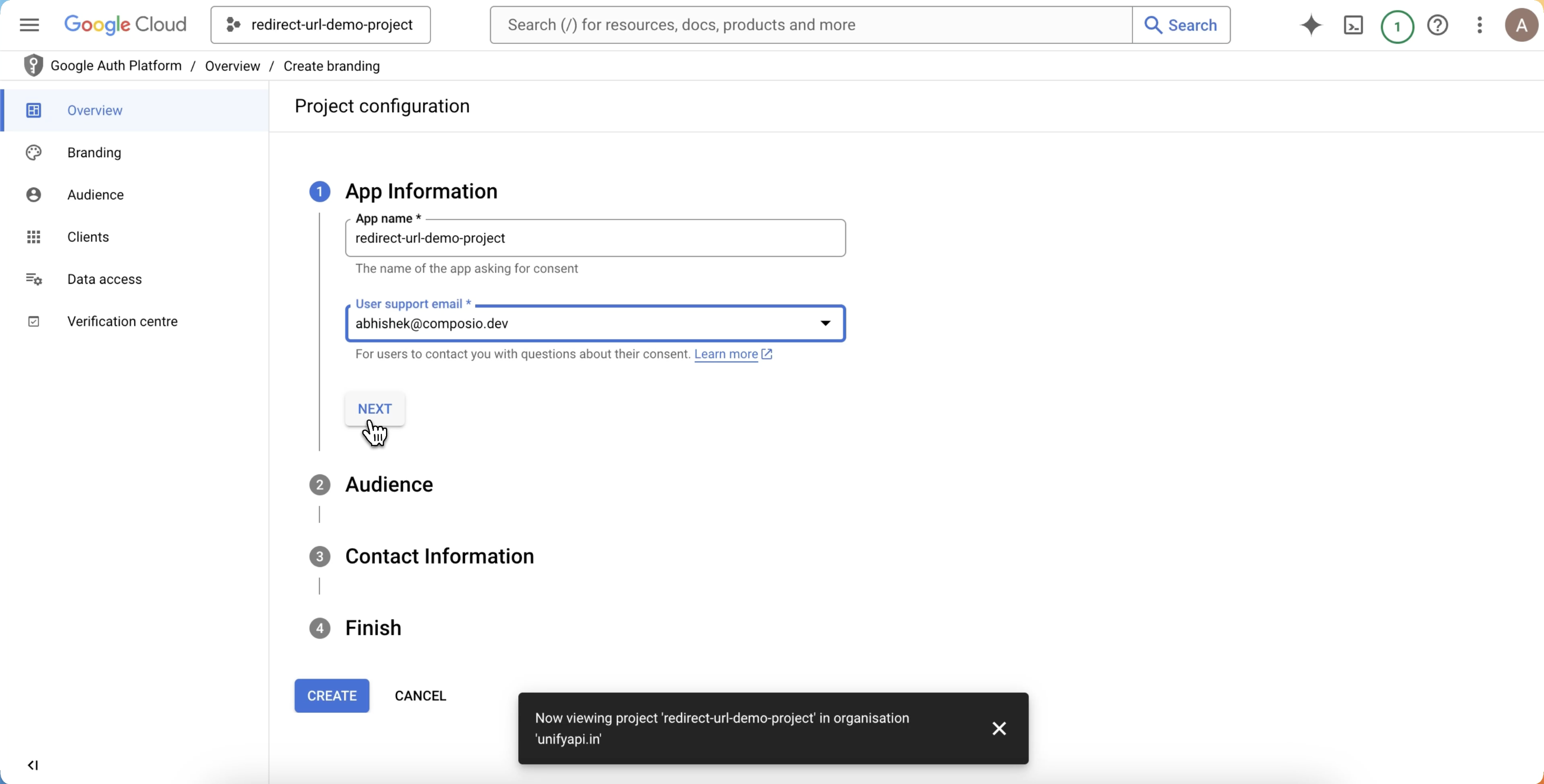
- Click on overview and configure the project:
3
Configure your OAuth consent screen APIs
After project configuration, click on Create OAuth client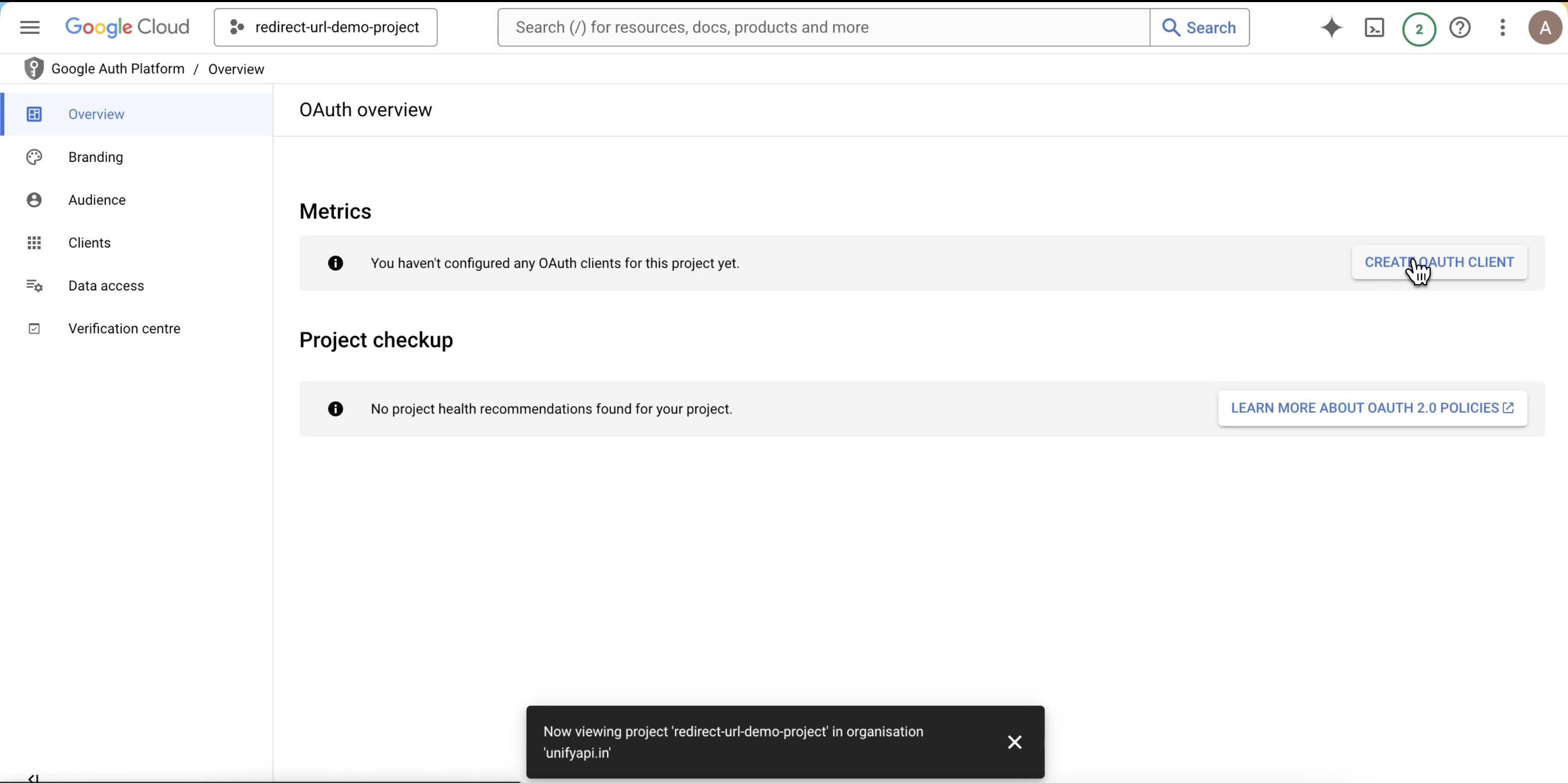
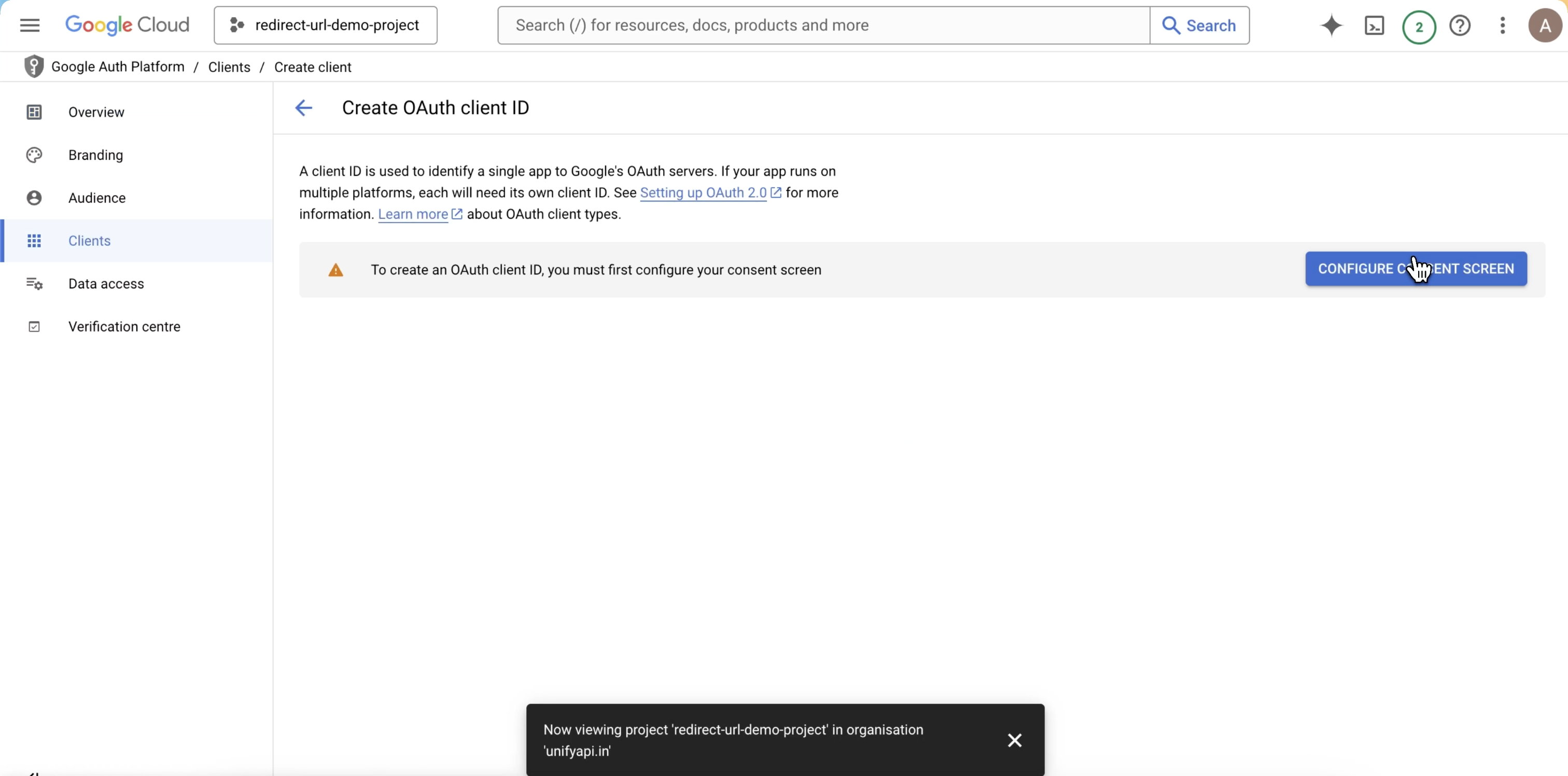
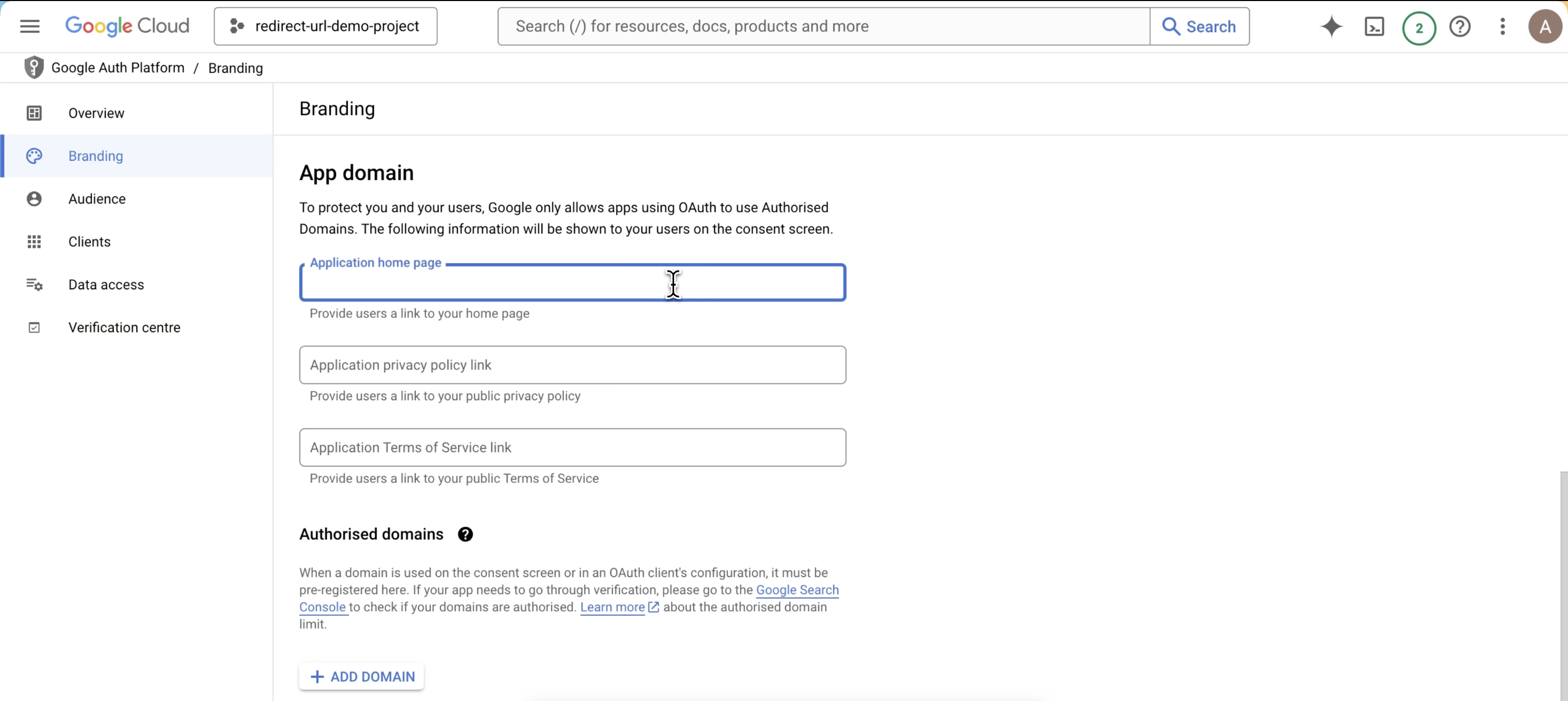
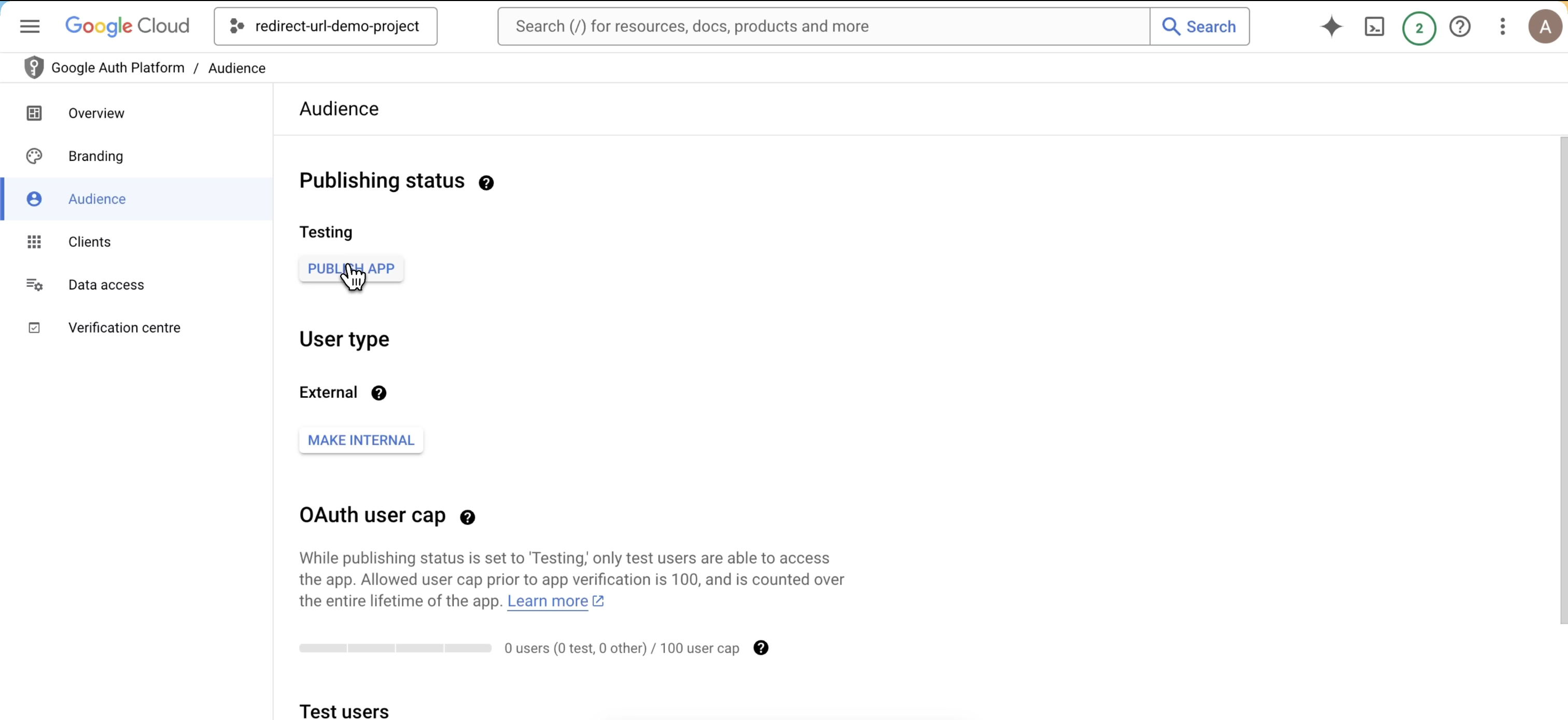
- Click on configure consent screen
- Configure the branding
- then publish the app
4
Create your Google OAuth Client credentials
Head over to Clients section: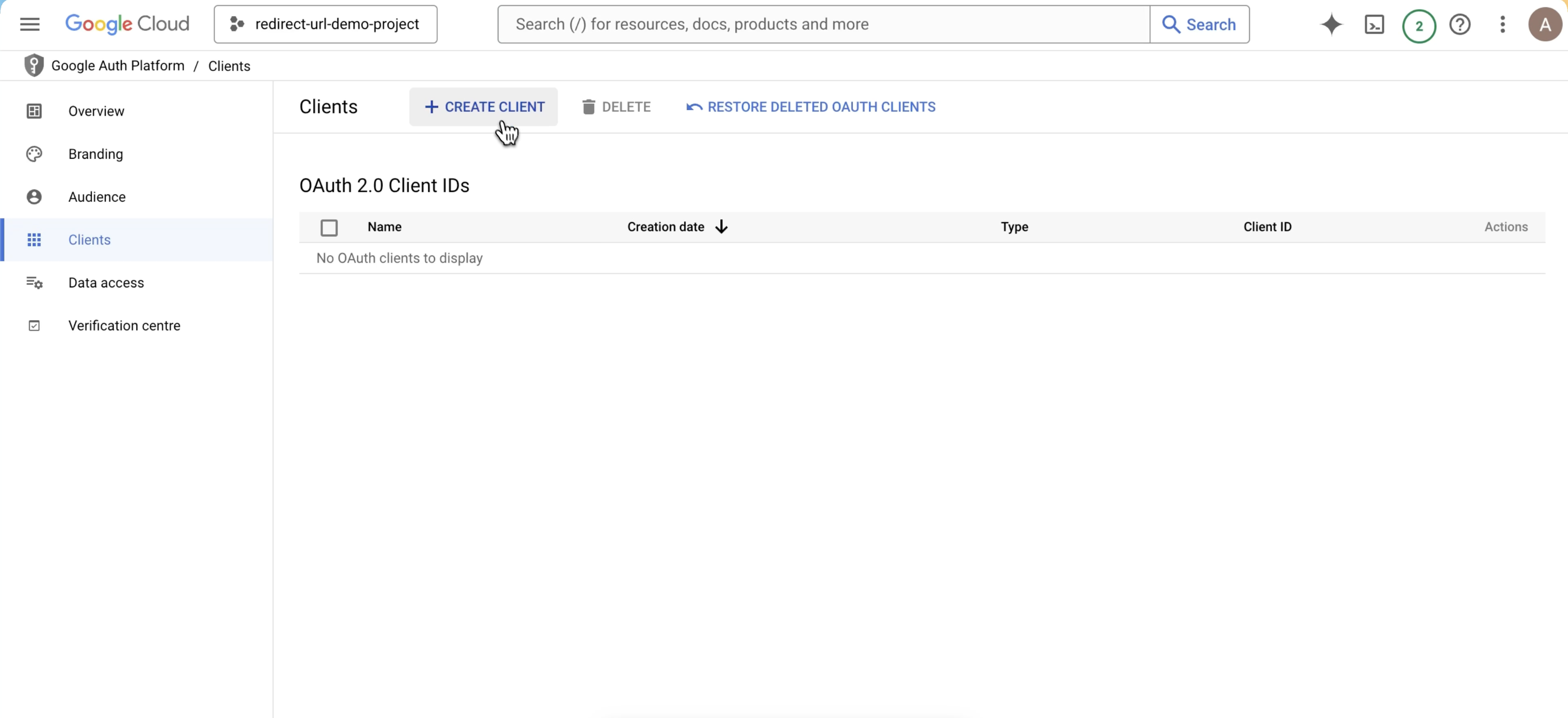
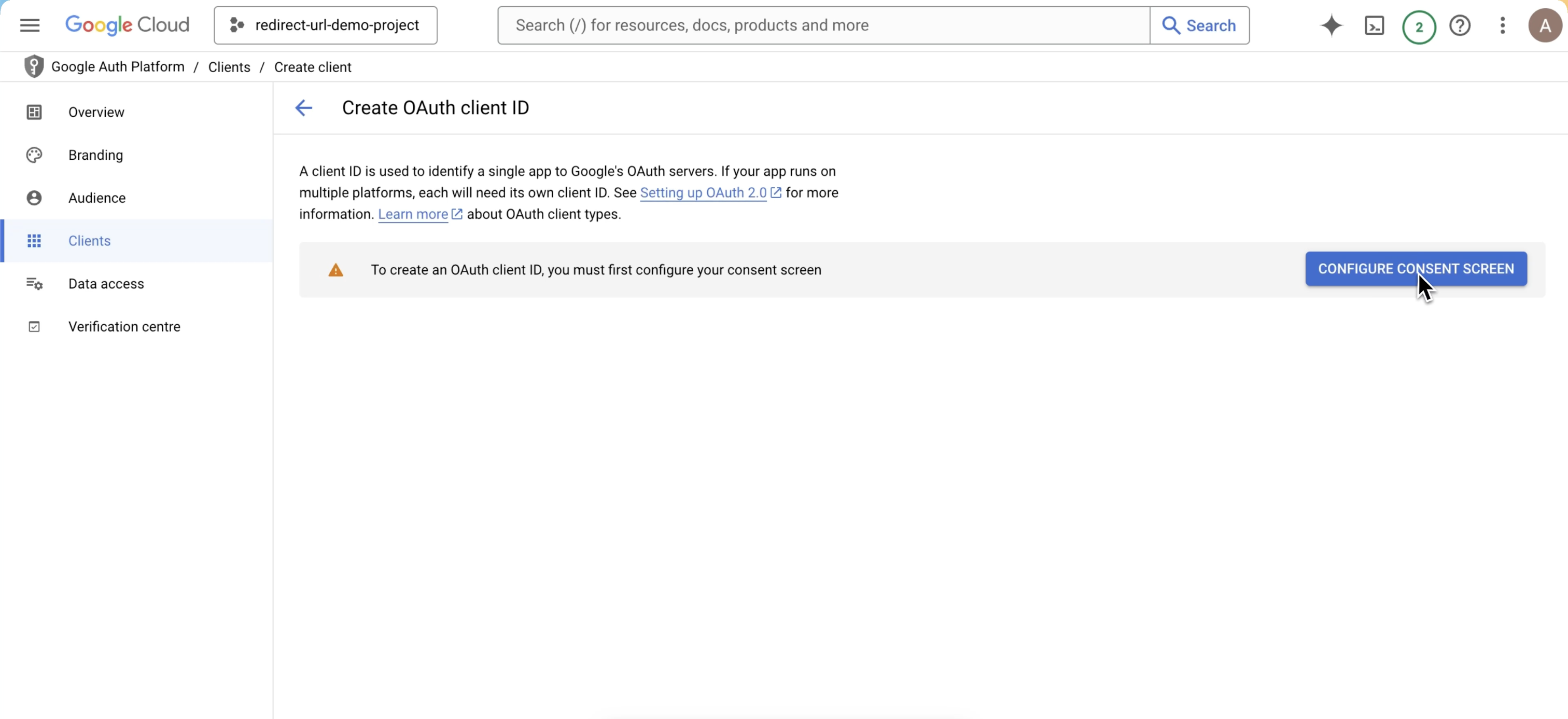
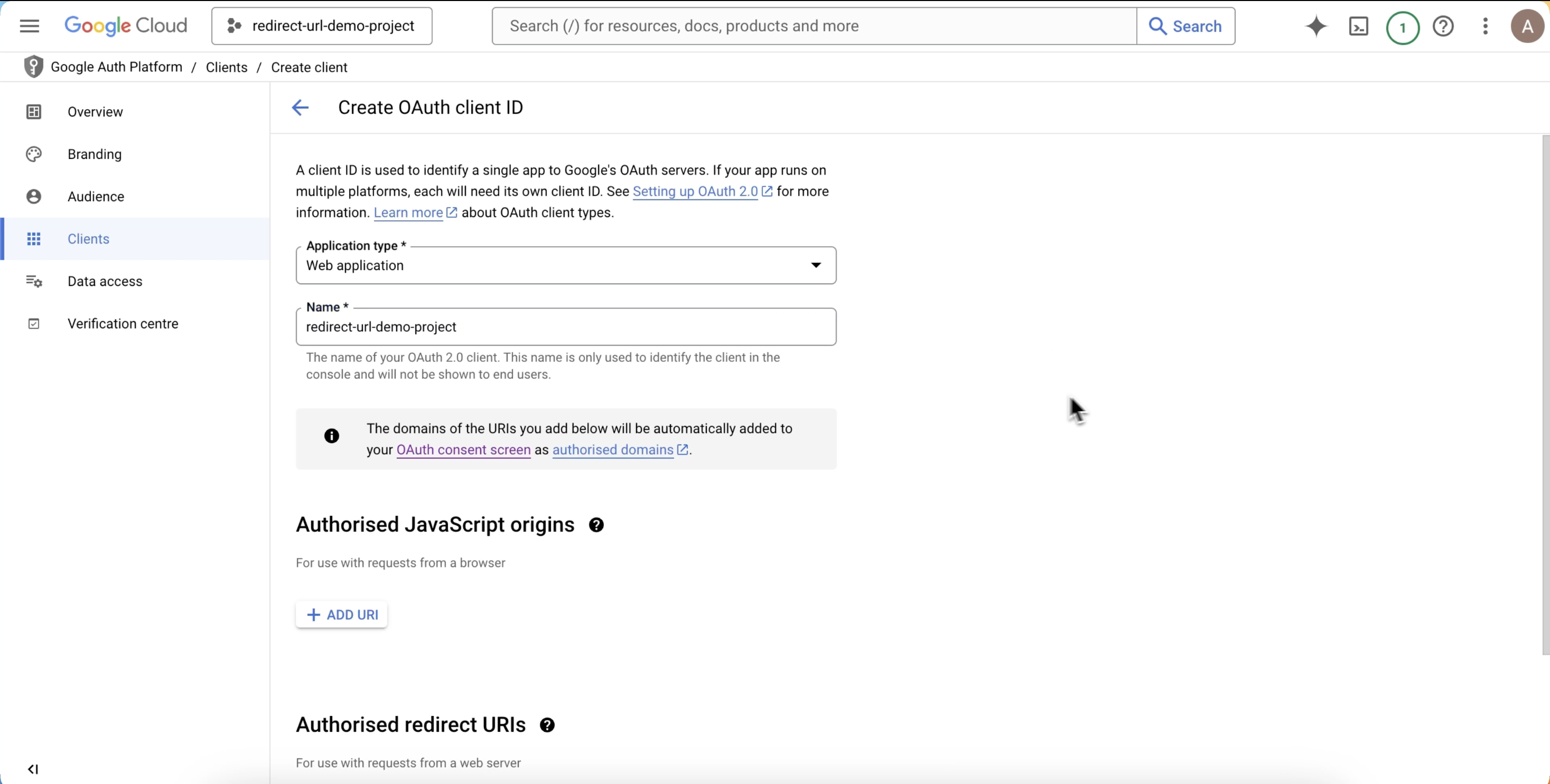
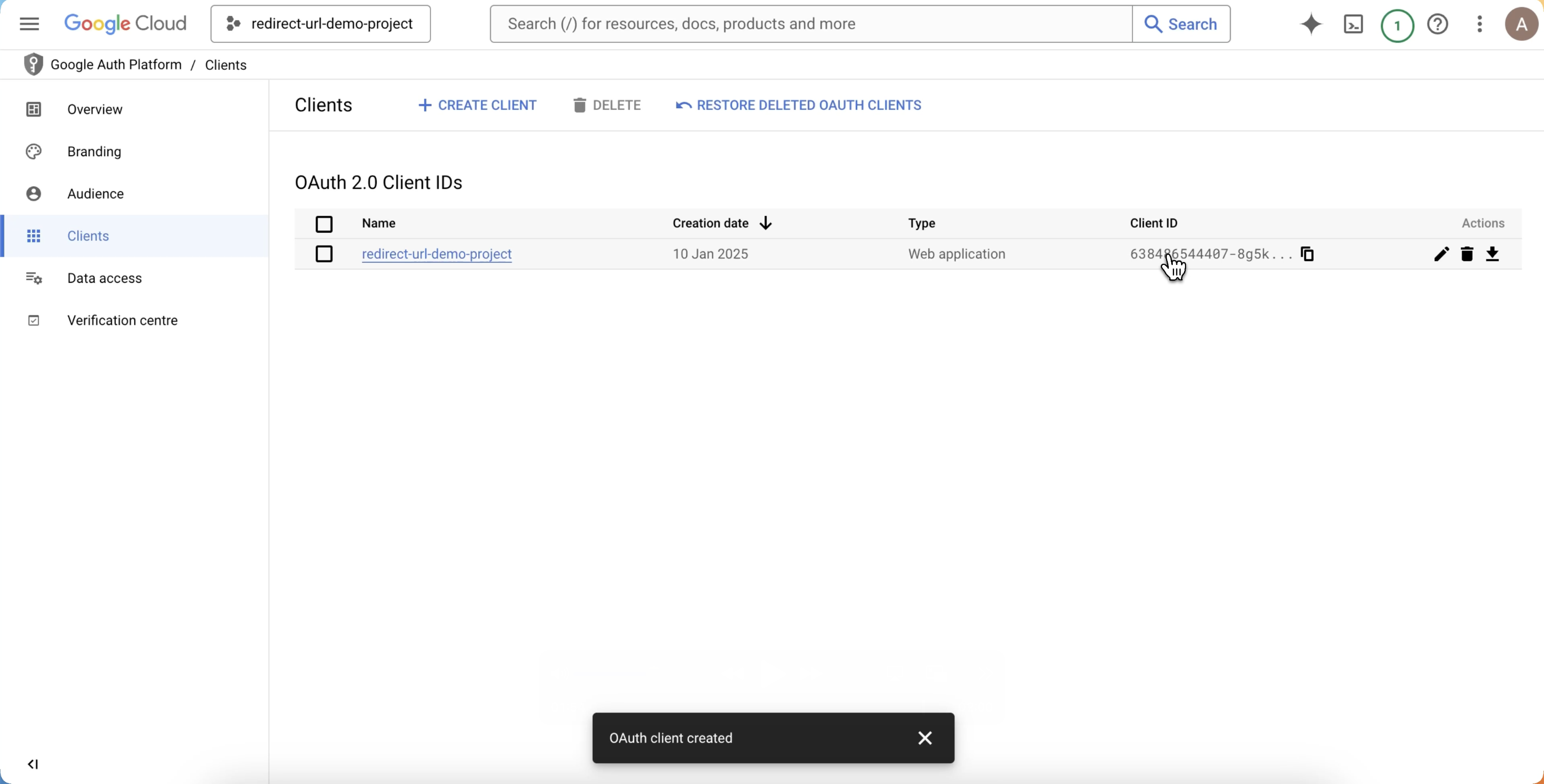
- Click on Create Client
- Click on Configure Consent Screen
- Configure the consent screen
- And you’re done, you’ve successfully created new Client ID and Client Secret for the project